

Meghan Hall |. Cultivating Your Own R Ecosystem as a Solo Contributor | RStudio (2022)
videoimage: thumbnail.jpg
Transcript#
This transcript was generated automatically and may contain errors.
I am Megan Hall. I am going to be speaking today on the experience of being the only RU workplace. I'm so excited to give this talk. I'm sorry I'm not there in person with the plan, but I do have to give a special thanks and thanks to the conference organizer who so deftly handled my very last minute switch to virtual presenting instead.
The team, I suppose, formerly known as the RStudio, these great top graphics for us, but there is not quite enough cell phone for my taste, so feel free to follow me on Twitter. But really just want to thank you all so much for watching the talk, and I want to give kind of a special shout out welcome to anyone who might be watching virtually, even watching this recording when it's posted later, maybe someone who's even a little earlier in their R journey, and because this talk is also for you. There should be time at the end talk for questions. If any come up while I'm speaking, you can put them at slido.com with the hashtag CA, or I'll also be around the Discord server this afternoon if there's any topics you want to chat further about.
So this is my laptop. It probably looks like a lot of your laptops out there, but to me this is the most special laptop of all because this laptop is why I learned R.
To set the stage a little bit, I've been working as a data professional for over seven years in higher ed administration. I currently work at Brown O. Bruno as a data manager, and in that role I am really kind of the data person in a functional business office. I don't work in IT. I don't work on a data team. A lot of other data fluent people around me, and as you can imagine, my is Excel mostly, and so kind of at the beginning of my career I was also using Excel for my data analysis because again that was the atmosphere that I was in, and then a few years I started getting into hockey, and because I am a numbers person, whatever other euphemism you prefer to use for nerd, I pretty quickly started gravitating to the analytics side of the game, started kind of getting involved in the public sports analytics community, and as I started embarking on my own analysis, I started using Excel because that is what I was like most recently familiar with, so what I used at work for a lot of the data analysis work that I did.
But let me tell you this lovely laptop that you see here that I still have, and so this 2015 MacBook Air could not handle Excel files that had over a million, just didn't work. It would crash. It couldn't even like filter, couldn't even do basic stuff. So out of technical necessity, I started learning R. I had been somewhat R and SAS and Stata back from grad school, but decided to pursue learning R because truly it seemed like it had the most welcoming and kind of inclusive community, and it seemed like something that was really learnable to me, and so experience that many of you are probably familiar with. I became happier when I was doing my data analysis with R, as R is much more suited to that type of data analysis work than Excel is, but again, even though I was very happy using R for the kind of the sports analytics work that I was doing on the side, it took me a little while to incorporate all of that R knowledge into my work and the work I was doing for money, because again, as I said, no one around me was using R, so it didn't seem like a very welcoming environment to start using it.
R doesn't have to be all or nothing
So I realized I don't need to spend a lot of time preaching to this crowd that R is great, because we all know that R is a really ideal tool for dealing with reproducible data analysis, right, and one of the things that is kind of magical and amazing about R is that you can use R for your entire data analysis workflow, but I would argue that kind of equally amazing is you don't have to use R for your entire data analysis workflow. That might work for a lot of people, but it might not work for everyone, might not work for you if it doesn't fit within kind of the constraints you might have upon you at work, and again, I think it's, I would argue that it's like equally great, kind of an equal strength of R that even if you just kind of use bits and pieces of R, incorporate them into your work that really helps solve your specific problems, you don't need to use the entire, again, A to Z workflow of R in order to get those benefits of R.
you don't have to use R for your entire data analysis workflow. even if you just kind of use bits and pieces of R, incorporate them into your work that really helps solve your specific problems, you don't need to use the entire, again, A to Z workflow of R in order to get those benefits of R.
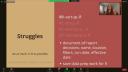
And so you can really just focus on what is possible for you and what helps you, because it's for sure true that there are struggles to incorporating R into a workflow that might not feel very welcoming toward it, but I'm going to, today I'm going to talk about some of the struggles that I have faced going through that process, how I've handled those struggles, and how I still think they are greatly outweighed by the benefits you get of using R, again, even if you can only use bits and pieces of kind of the entire R ecosystem. So I hope that this talk will be helpful and inspiring to you, whether you are, you yourself are kind of starting to think about using R at work, whether you're like me and like a lone wolf, using R at work in trying to kind of spread the gospel and looking for some tips about how to make that job easier, or maybe even you're involved in like helping usher other people along similar journeys, along how to, how to incorporate R into their workflow.
So in addition to my work in higher ed, I also spent some time at Zealous Analytics, which is a sports analytics company, and there I worked as a data scientist among a team of other data scientists in kind of a, you know, software development team, and there are my entire workflow that I worked in was in R. I was able to, within R, you know, write my SQL code, directly connect to the databases to pull the data that I needed. The products I created were in R Markdown, all my analysis, my visualization, etc. And of course everything was controlled, you know, through Git and version control. And if you work in kind of a traditional data role in a data team, that does not sound foreign or special to you at all, but I can tell you that not all of us are so lucky. It is true that not everyone gets like the luxury of choosing their entire tech stack, but again, if you work in a role, maybe slightly less traditionally a data role or a data role that's kind of embedded in a lot of non-data people, if you work kind of far from other tech friendly folks, your options might be, your kind of tech stack options might be limited and not ideal, which was certainly kind of my professional case.
So while going through a couple of examples, I'm going to focus on my two best tips for dealing with that problem, which is firstly, to always try, be creative, do as much in R as possible, as less as possible in other tools, and focus on what is really realistic for your situation, not what's maybe ideal for the general population, someone in a more traditional data science role.
Working around data access limitations
So perhaps you can't access data through R. I am very familiar with this problem. I cannot access my data through R. I cannot connect directly to the databases that hold the data that I need. I have to use another external Oracle like report studio software in order to access this data. And so here's how I have finally decided how I can develop a program to help handle that.
So this is not a unique idea, but anytime I open a new RStudio project, I automatically set up some files that I always use. And my setup file is really devoted specifically to all of my kind of report decisions. So again, the report, the reporting software through Oracle that I have to use is pretty powerful. It allows you to, you know, make calculations, create new fields, you can write SQL, do some pretty complicated filtering. But I, again, prefer to keep all of that stuff in R as much as possible. So I can control, change, more easily reproduce the code that I want. And, you know, write that code in the language that I want to write it. So within my setup files, I document all report decisions, like the name of the report, where the report was located, any dates, filters, et cetera. And I also make sure that those reports themselves are pretty broad population parameter wise. I'm mostly dealing with people data. And I know that when I want to go to my next steps and analyze the data, I need to create new fields and filter, et cetera. But I try to get the biggest possible population, like kind of the simplest version of the report that I can run in this external software. So I can do, again, all the data manipulation work in R, again, where R is successful.
And this is just a very simple example of what one of those, one of my setup files might look like. They always start with lots of comments. Again, the when, where, why, how of the report. And it's also just a convenient place to, again, read in all of my data.
Dashboarding outside of R
You also might need to dashboard elsewhere. If it were up to me, all of kind of the end products of my work would either be in, you know, R Markdown or Quarto or Shiny or something like that. But I work at a Tableau organization. I have to use Tableau. It can be a little dicey mentioning Tableau at an R-focused conference, especially when I know there's a Shiny talk going on at the same time right now. But it is a necessary tool that some of us need to use. And anytime I have a project that involves any kind of dashboard component, I automatically create a dashboard file. And if you're not familiar with Tableau, Tableau actually is have some pretty advanced capabilities when it comes to dealing with data. You can handle relational data. You can look at data at different levels of detail, aggregations, calculations, et cetera. That's all fine and good. But again, I would really prefer to do all of that data prep work in R where I prefer the language.
I have all the code in one code file that I can much more easily change, track, reproduce, rather than having them scattered all about the Tableau software as it is. So again, within this dashboarding file that I create, if I know I have a Tableau component to my analysis projects, I make sure I have all the code. I create kind of extra data files at different levels of aggregation that I know I might need for Tableau and any calculations that I know that I'll need to incorporate in my Tableau dashboard. And I also make sure I save all of those data files in a specific folder. Again, this is a very bare bones example of what that dashboard file, R file might look like for my project. But again, any code to create anything specific for Tableau goes there and all the various files that I create automatically get written into a special Tableau, a special folder usually just called for Tableau that lives in that project's working directory.
So that means that when I actually need to open Tableau, again, I just import all of the data files in that one specific folder. And then I can use Tableau for what Tableau is really good at, admittedly, which is, you know, efficiently making like really beautiful and interactive data visualizations that fit with, you know, the IT infrastructure at my organization. While leaving all of the things I prefer to do in R, any kind of data prep work, joining data, et cetera, leaving that in R where I can more easily track it.
Version control workarounds
And lastly, this might be shocking to some of you depending on the type of role that you are in, but not all of us have access to Git or some kind of version control. I don't, unfortunately. And so within my data prep, data analysis files, any files where I'm kind of writing code, making decisions about data, I have a lot of comments. And probably more comments than a lot of people, but if I don't have access to the collaboration and communication benefits of version control, I need to do that collaboration and communication somewhere. And for me, it's just easiest within my workflow to use dated comments in my data files.
So I comment any type of major decisions that get made. And you can also really just in the comments, link to any kind of supporting documentation. Again, whether that's an internal key or even as something as simple as referencing like a March 25th email chain you had with AIMS where you decided to change the definition of some metrics. Now I know there is a work theory out there to you. So some of you, this might seem like, whoa, that's a lot of comments. I won't show you an example file just not to scare you. Because I know there's a theory out there that if your code has comments and your code isn't clear enough, that code is only clear enough when it doesn't need any comments to explain what's going on. And that might be a perfectly valid philosophy working theory to have at some organization in some setups. But if you don't have version control, and I certainly don't want multiple versions of my data prep files floating around, I need to use comments in order to communicate and collaborate with myself or with someone else or more likely myself in six months. And so to that, I would really, again, what's kind of underlined on the bottom of the screen is focus on what's realistic for your situation, even if it might not be, I guess, commonly supported practice, what people think is ideal for the general population. Ideal for everyone does not mean that like it for you.
The benefits outweigh the struggles
So given that, there are definitely struggles that just, you know, demonstrated just a handful of the ones that I personally have had to come up with techniques in order to face. There are definitely challenges, but I would argue really the benefits greatly outweigh those challenges. And I'm going to go through just a couple of examples of things I have found in my work as in my work as kind of the sole author to have kind of the highest leverage on the work that I do. And that's mostly because that's mostly leveraging the benefits of R, how easily it can ease the burden of repeated reporting, again, if that's a feature of your job, and again, easily transfer and hold institutional knowledge.
Internal packages
And so the first, again, biggest leverage win that I have is through the development of internal packages. If you don't know, as I didn't know, kind of started R, packages do not need to be public. They do not need to live on GitHub. Private packages that only, that are only for you or only for your team, and they can live on a shared drive. There's ways to export your package to a shared drive. And packages are incredibly useful for having easy access to common datasets that you use across multiple projects. Also for documenting data definitions and calculations. We can probably all agree that documentation is a near universal problem, and I cannot promise that this bullet point and having data definitions in your internal package will, like, solve that issue in your organization. But whether you, you know, your organization uses, like, a different enterprise tool or internal wikis, it is also really nice to have those data definitions and calculations, like, right at the fingertips of people who are using them when they're using them.
So, again, all the entire data documentation problem, but it can help solve it at the very small micro level, even if that's just in your team and documenting the data fields, functions, et cetera, that you use on a frequent basis. And lastly, kind of the most common thing we think about what packages are for are just packaging together functions, right? So, very easy, of course, an internal package to track any common analysis functions that you use, as well as ggplot themes. Again, just as a specific example, I obviously do a lot of data analysis, and a small but frequent part of my job is when people ask me for, to run an analysis and create plots that other people use to present.
Now, I prefer to do my presentations in Quarto. The provost of mine is in Quarto, even though how cool would that be? And so, they obviously use PowerPoint. So, I pretty frequently, again, get asked to run, rerun certain analyses to create a plot that someone can drop into a PowerPoint presentation. And thanks to my package, I have several ggplot themes, including one that is specifically for plots created for PowerPoint presentations. My theme has, you know, my university's fonts and colors. It has the font sizes that I know really well for a PowerPoint presentation. And I can, again, very easily attach those to plots that I create. And I can really easily generate all of those plots, save them in a specific place, and even track and use the specs that I know, again, work, these specs work perfectly for me with my theme, to create plots that look cohesive and look appropriately sized in the PowerPoint templates that we use. So, again, just a very small, specific example of how using the features of internal packages has really saved me a ton of time over the years.
Parameterized reporting
Likewise, also, being able to leverage parameterized reporting with R Markdown in Quarto, which I'm going to slightly use interchangeably in this example, but whichever one you use or move toward using, as we all know, so great because there are so many output formats, including Microsoft Office software formats, if that's something that you need or use. And any kind of parameterized reporting, being able to leverage that within R Markdown is so useful if you have, again, any type of combinations of code, text, plots, data, any varying parameters. Again, if repeated reporting is any part of your job, I guarantee that you'll be able to find some efficiencies through parameterized reporting.
Again, just through one example, let's say you have an R Markdown file that creates a PDF report that has some text and some plots and some tables, and you know that you need to create this report every year for, let's say, each division that you oversee or that your group oversees. We can use the render function within R Markdown to specify, you know, where these files should be saved, how they should be titled, and then, you know, use a little bit of functional programming and render that R Markdown file for a given year for, let's say, every unique value of division within your data set. And just that, you know, few lines of code makes it extremely easy to turn one R Markdown file into a whole bunch of PDF files. Again, saving tremendous amounts of time. I have a few of these similar projects that I have to run for reports that get run a couple times a year for, in my case, you know, dozens of departments, and having to do that manually or quasi-manually through Tableau or Word or kind of other system is just not nearly as efficient as doing it in R Markdown.
Closing thoughts
So, I would argue that we have, there are for sure struggles, again, to, I'm not going to pretend that it's totally smooth sailing if you are the only person using R at your workplace and trying to kind of fit R into an existing workflow. But hopefully, I have demonstrated that the benefits of using R, again, even if you only use specific bits and pieces of R to solve whatever specific problems that you face, even if you can't use, again, an entire R workflow, is worth overcoming whatever specific struggles you might face. Because it's true that the less time you spend reproducing your own analysis, again, I have been in that place where you open an Excel file from last year, and you should remember everything that you did, but you don't. And because it's Excel, it's not, you know, recorded very well. It's not reproducible. That is just wasted time. Having to reproduce your own analysis on any time interval is really time wasted that could more easily be made much more efficient with R.
That is just wasted time. Having to reproduce your own analysis on any time interval is really time wasted that could more easily be made much more efficient with R.
And so, the less time you spend doing that, the more time you have for whatever work it is in the line of work that you find important, that you are uniquely good at, that you are able to, you know, put your specific skills toward. So, hopefully, this talk has inspired you to, again, continue to incorporate bits and pieces of R into your existing workflow, even if you can't use all of R, like you see other people use. And I hope it has comforted you that not everyone uses the entire R ecosystem A to Z. It doesn't mean that you aren't a real programmer, you aren't a real coder. As long as you're working kind of within the constraints of your job, you can still find ways to use R to help ease some of your specific problems.
Thank you, again. Hopefully, there are time for questions. But if not, I will be in the Discord server this afternoon.
