

Lawrence Y. Tello | Integrated Workflow: Microsoft Azure DevOps, Posit Workbench, Posit Connect
videoimage: thumbnail.jpg
Transcript#
This transcript was generated automatically and may contain errors.
Over the past two years, we've been working on this workflow that's been helpful for us in processing large amounts of data very quickly in order to create products that help guide the decision-making in the state of where to allocate resources. This workflow involves three main products, Microsoft Azure DevOps, Posit Workbench, and Posit Connect. If you were at the keynote this morning, you'll realize some of these terms are a little outdated since RStudio is now changing to Posit.
When I first started working at CDPH, it was December 2020. I was living in Washington, D.C. in Foggy Bottoms, not too far from here. If you remember in our personal lives, it was quite stressful, so going outside was kind of like rolling the dice of whether you might get sick or get others sick. And you can imagine working in public health is also quite stressful. Our infrastructure wasn't prepared for the amount of data that COVID was going to provide, and we were often trying to catch up and get ahead.
I happened to be working on a report at that time that got sent out at the end of the day, and I would get this beautiful data set that was processed by my many colleagues from the local health jurisdictions and at the state level, and sometimes there would be delays. It's no fault that anyone, the situation was very complicated, data was always changing, so this often meant 9 p.m., 10 p.m., 11 p.m., California time, midnight, 1 a.m., 2 a.m. in D.C. So I often looked like this. I was very tired, and my cat was wondering why I'm still awake. As a team, we knew this wasn't feasible, and we needed to do something to change this, not only to meet the needs of the state, but also to improve our work-life balance. So eventually this workflow came about, allowing us to do our work more efficiently, and I got into bed at a more reasonable time.
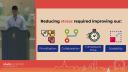
So reducing our stress required four main things. The first one is how we prioritize our task. How do we improve our ability to collaborate with each other? How do we decrease our turnaround time? And lastly, how do we scale our work?
Prioritization with Azure DevOps
So I'm going to start with how do we improve our prioritization? So during this time, there were many requests always coming in, and there was often an undertone of I needed this yesterday, and that's very true, because the questions and issues that we're having impacted the health of millions of people. And the issue, however, is that as a team, we're quite limited. There's only so many of us. Our skills vary, and we want to be able to solve these issues, but we only have so much time as well. So we needed a way to prioritize how we move forward in our work.
So that's where our first product comes in, Microsoft Azure DevOps, and we use Microsoft Azure DevOps at CDPH because we're a Microsoft shop, but you could use other DevOps platforms as well in place of this. So we started using Azure DevOps for project management, in particular a sprint board, and a sprint is a defined period of time that you set to complete a number of tasks, and what's really great about a sprint is that at the very beginning of the sprint, it forces you to sit down and decide what needs to be done, what can realistically be done in this time period, and who's going to do it. And for us, we happened to use a two-week sprint time, but you could use a different amount of time as well.
So what I'm going to do next is show you what our sprint board looks like to give you a sense of that. So we have five columns, features, not started, declined, in progress, and done. In the feature column, you're going to have an overarching project, so, for example, preparing for the conference talk, and within that, you're going to have a number of tasks to complete within your sprint. So in the not started, I might have a task about drafting slides or practicing this presentation, and you can be the judge of whether I successfully did these or not. I may have a decline column, such as adding cat gifs, and at some point decided this wasn't a professional enough thing to add, so I'm not going to do that. I'll have an in progress column, such as drafting outline, which I need to do prior to doing the slides or practicing my presentation, and lastly, I'll finish a couple of tasks, too, such as making this sprint board example, which, again, you can judge whether I successfully did that or not.
And then we'll have other rows with other features for separate tasks, and this creates a really great visualization for our team of how we're doing in this sprint, and what's really powerful is that as sprints continue to occur, we can look back in time and see how successful we were at completing our task and modify how we're going to move forward in the next sprint. And if you're disappointed that I didn't add any cat gifs, I added some last minute for you all.
Collaboration with Git and repositories
So next, how did we improve our collaboration? So when I first started, we were using Git and DevOps principles in some places, but it wasn't a main part of our workflow, so a lot of our work was shared across a shared drive or folder at work, and that often meant copying your R script, for example, and then making edits and later putting it back together, which over time was starting to make a lot of problems, especially when it came down to production or it was late at night, at midnight, and edits were just very frustrating and tiring to do.
So we started to use Git workflow more effectively and made it a main part of our workflow. So if you think about our work in Posit Workbench, it's kind of like we're in a silo. It's really hard to share this work with others or the colleagues, and we wanted to be able to do that. So that's where we started using repositories via Azure DevOps, and a repository is a place where you can store your code safely, have version control, and it's the central place that all of your work can live, and what's great about this is that via RStudio and Git, we can move our work outside of our silo into this repository, and in that same vein, I can move other people's work from the repositories into my Workbench and work on it there.
Now, you can have an entire workshop about Git and still may not understand it. It's very confusing, but it's a really great resource by Jenny Bryan called Happy Git that's related to using Git and R that I highly encourage you to check out if you want to get started with Git and R.
So you can think of repositories as if you're storing your code safely. So in these photos by Edward Muybridge, we're seeing this bird in flight, and we're getting snapshots of it over time, and you can think of our code, every time we make a commit or a save, we're saving a version of it in memory in a repository. So maybe you want to put this last snapshot into production, but something goes wrong. What's great about repositories is that we can roll back the clock and use this previous version to go into production and in the meantime fix our errors that occurred later on.
Another really great feature is that you can make what's called a fork or a branch of your repository, and that's like making a copy of it, and you can kind of think of it as if you're working in your own lane in that sense. We're all running in this sprint, and I have my own fork or branch, and I'm working it, making edits, and if I happen to make a mistake, it's not going to affect others in their lane. So it gives us a really great opportunity to try new things out, fall over, break the app, all of those things that we don't want to happen during production.
Turnaround time and scalability with Posit Connect
And lastly, how do we improve our turnaround time and scalability? So we're always getting requests and lots of data that we're taking ownership of, and these data processing can take hours, and at the same time, we also want to be able to scale our work and share it with others. So that's where our final product comes in, Posit Connect, and this is a server that allows you to automate your processes, and what's really cool is that from our repositories in Azure DevOps, we can deploy our work into Posit Connect. And from Connect, we can automate data processing, we can schedule reports, and we can host Shiny apps.
So Posit Connect provided us more processing power, which allowed us to do analyses more quickly. So just as an example, this is one of our servers. We have about 251 gigabytes of RAM, which is a lot, or another example of the amount of CPU cores available, and we have a number of these servers available to us to do different types of data processing or host apps, and I can't explain the giddiness I felt the first time I ran a script on Connect that took ten minutes when it used to take over an hour to run if it didn't crash. So Connect was a really great lifesaver in terms of finishing our data processing in a more quick manner, allowing me to go to sleep earlier.
So Connect was a really great lifesaver in terms of finishing our data processing in a more quick manner, allowing me to go to sleep earlier.
So it's not only quicker, but it also freed up our hands. At least in our environment, we're limited to two workbenches, so it's kind of like having two R consoles or two tabs, and if I have many types of data that I need to process throughout a week, it's as if my hands are tied. So by being able to offload it off to a server, I can free up my hands to do other type of work. And we can schedule jobs on the server using, for example, the Officer or OpenXLSX package to make PowerPoints, Excel sheets, or Word documents. In that same data processing, we're going to also be doing the large amount of data processing and then creating reports that are output at a scheduled time. We can schedule e-mails with the Blastula package, and a couple e-mails here and there is not too bad, but when we start to initiate e-mails and data with a lot of different partners, this becomes a really great tool to use.
And here's one example of data that we put on the website weekly for post-vaccination infection data if you want to check it out, and all of this data is processed via Connect and then shared with our partners at CDPH to later publish on the website. So you can kind of think of Connect as if they're replacing us. They're robots, they're running in their own lane, and they're running their own processes.
And so at this point, I might want to sit back and look at my cat and listen to her and stop looking at this monitor, but in reality, automation isn't perfect and often actually fails and can be quite challenging to debug. Working on a server, the debugging process is a lot different. The logs are different. So we tried to, so we need to think about that as well. So in reality, it's more like this. We're all running in the same lane. Some of the processes are falling over, I'm falling over, et cetera. And one of the solutions to this was to create a data processing monitoring app. So this monitors all our processes on Connect, and it gives us a really great visualization of what's occurring and when it might fail. And in addition to that, we have an error logging system where if something breaks, we get an email via Blastula telling us something's broken and where in that script it broke.
And then lastly, we have many different Shiny apps, mostly internal that I can't share with you, but one that was published to the public by the California COVID-19 modeling team called CalCat, and this shows you the current state and predicted future state using different models of COVID-19 in the state of California. So I encourage you to check this out and see the different types of data that we're working with, and what's, I think, really cool is that you can download the data as well that we've all been processing and that's updated regularly.